
To start selling stock photos, first make sure you have updated your payment information.
Create a Subscription Plan
-
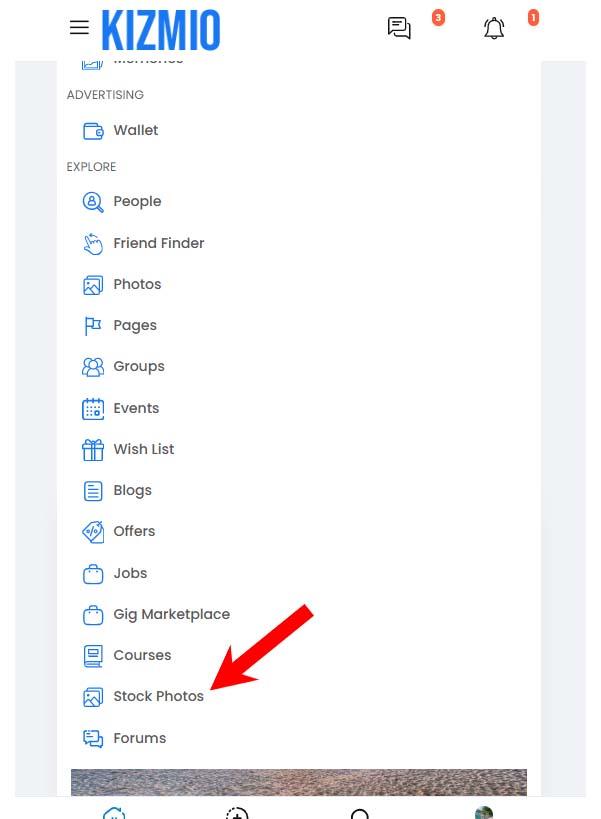
Click Stock Photos from the top menu.
-
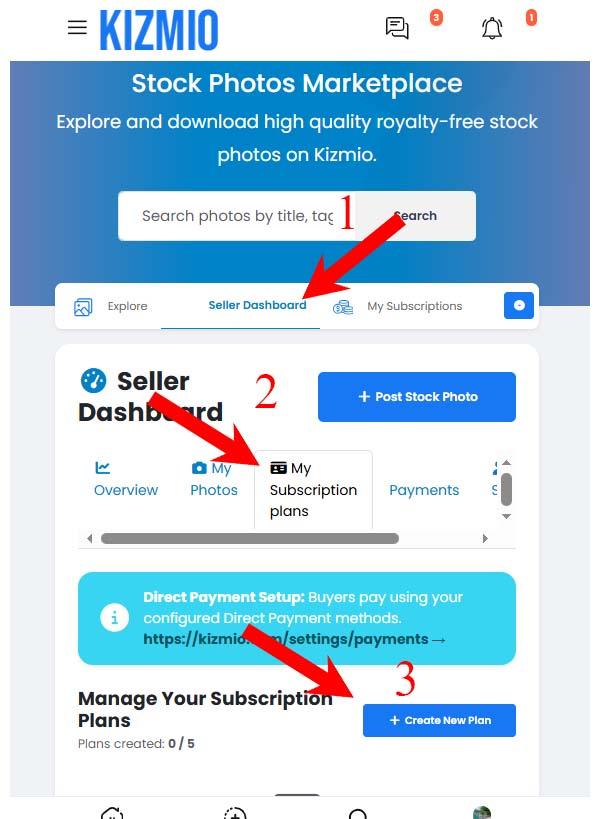
Open Seller Dashboard.
-
Select My Subscription Plans.
-
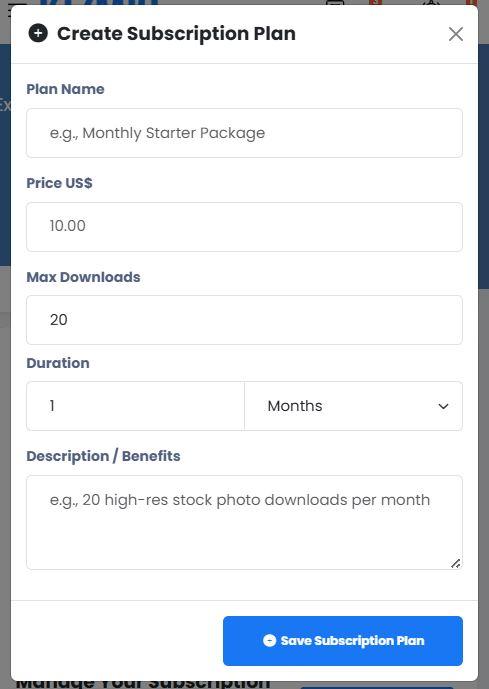
Click Create New Plan and set up your subscription plan.
Once you have created a subscription plan, you can start uploading photos by clicking Post Stock Photo.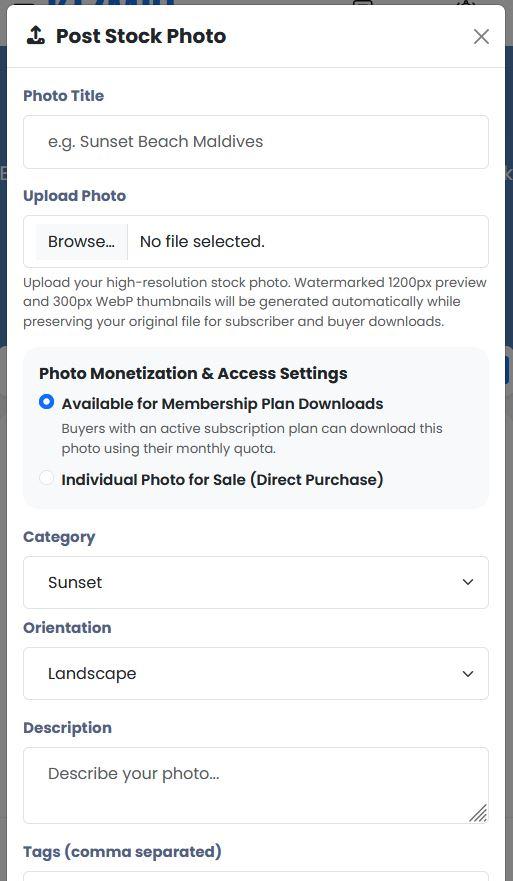
Approving Buyer Payments
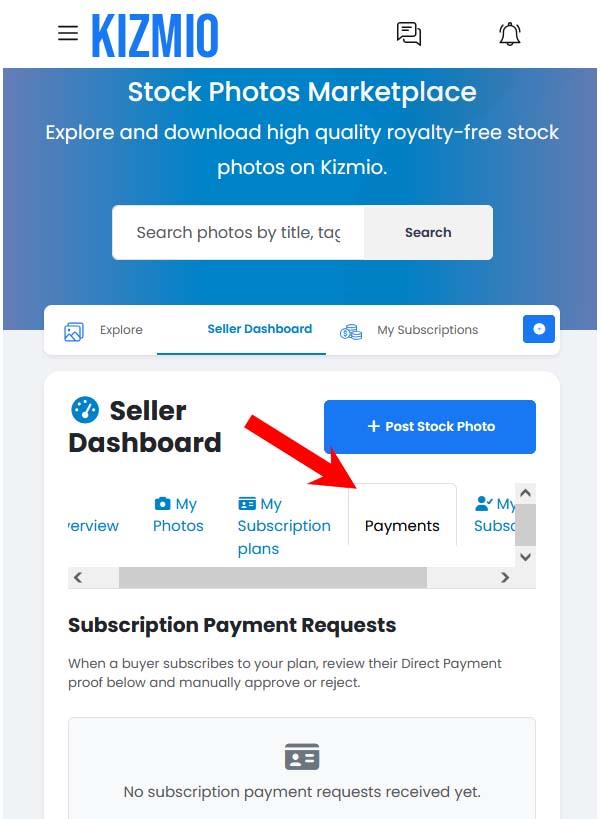
When a buyer pays for one of your subscription plans, the payment will appear under the Payments tab.
Review and verify the payment, then click Approve. Once approved, the buyer's subscription will be activated and they will be able to download stock photos according to their plan.
Important: Approve Payments Promptly
Please verify and approve payments as quickly as possible. Delayed approvals may result in buyer complaints and prevent buyers from accessing the photos they have paid for.

 Dhivehi
 Arabic
 French
 Spanish
 Portuguese
 Deutsch
 Turkish
 Dutch
Dutch
 Italiano
 Russian
 Romaian
 Portuguese (Brazil)
 Greek
Greek