


Earn Directly from Your Content: The Ultimate Guide to Buzz Earn

Content creators, photographers, freelancers, digital professionals, and social media enthusiasts are constantly searching for direct, hassle-free ways to monetize their work, services, and personal projects. Kizmio offers an intuitive platform that allows members to receive direct support, tips, freelance gig payments, wishlist contributions, and gifts straight into their bank account or PayPal.
Whether you publish in-depth articles, offer work-from-home or on-site services through the Gig Marketplace, build a personal Wish List for global contributions, share stunning photography, or import viral videos, Kizmio ensures your audience can support your passion with just a single click.
(Example: On the right side of this article, you can see a Gift button. When clicked, it displays the author's bank account details and PayPal button to support the author. Local Maldivians can support via direct bank transfer, while international users can send gifts via PayPal.)
How Kizmio Works
Kizmio simplifies audience support by embedding payment options directly into your content. Members simply set up their payment details and enable the Gift button across their profile, posts, and media.
Supported Payment Options
-
Direct Bank Transfer: Receive direct bank payments from local supporters.
-
PayPal: Collect international gifts and tips effortlessly.
-
For Maldivian Creators: Creators in the Maldives can link their PayPal directly to M-Faisaa to facilitate local transfers.
When a follower clicks the Gift button on any post or profile, a popup displays your bank transfer details alongside a PayPal link for immediate contribution.
Ways to Monetize Your Content on Kizmio
Kizmio supports a wide range of media formats, giving every creator a tailored space to earn.
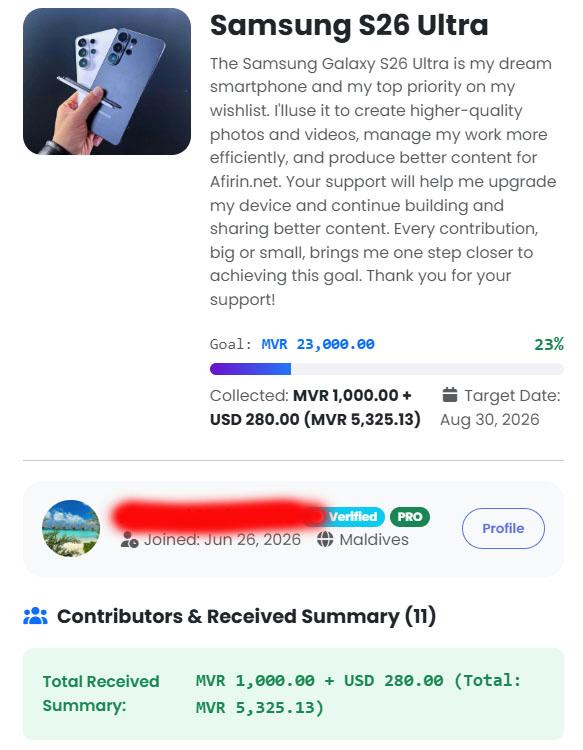
1. Kizmio Wish List
Got a wish for a birthday, or a specific item you're saving up to buy? Create your personal Wish List on Buzz Earn and accept contributions globally from friends, family, and supporters around the world.
2. Articles & Written Content
Publish stories, guides, or news. Once your articles rank and start showing up in search engines, well-crafted content greatly increases your chances of receiving gifts from readers globally. Readers can support your writing at any time using the permanent Gift button situated on the right side of your article.
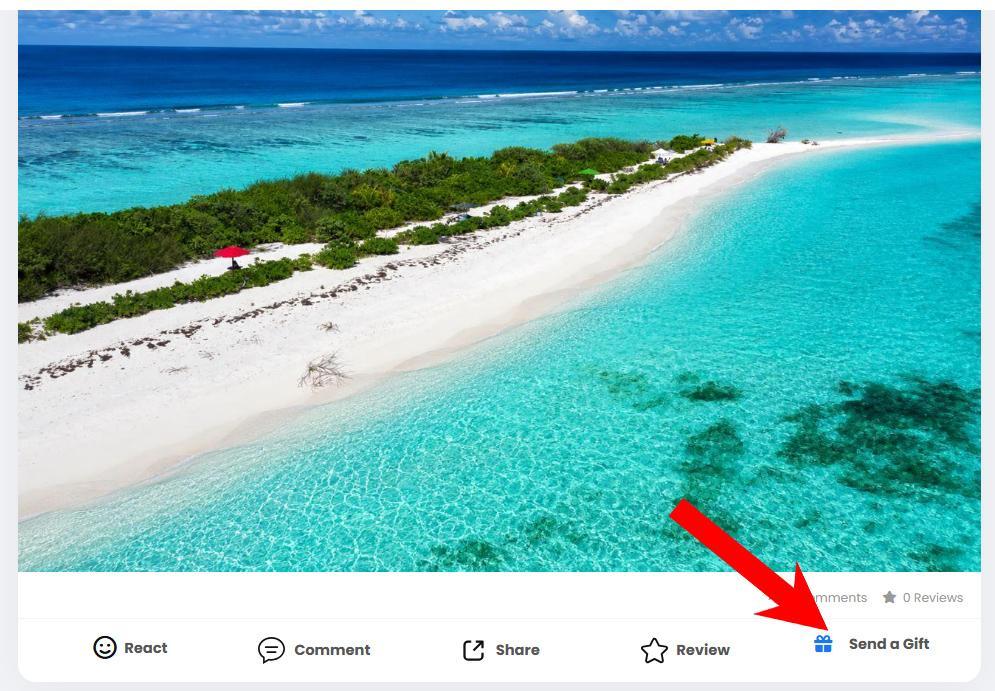
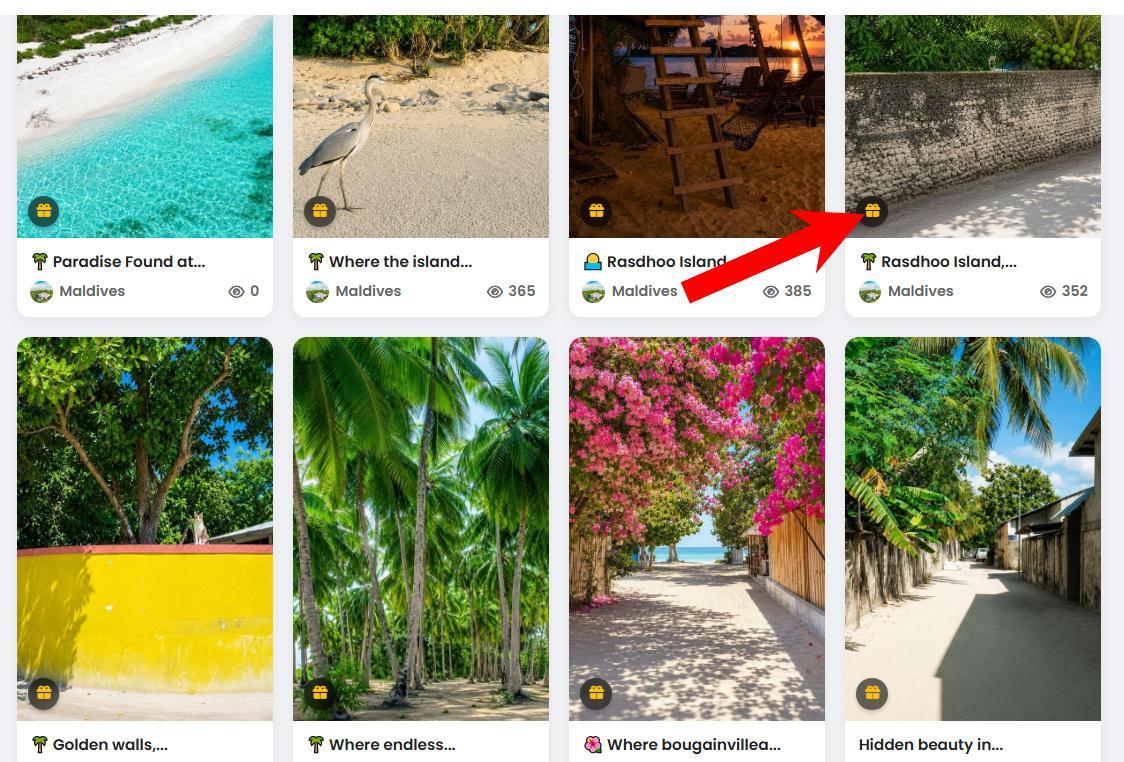
3. Photos & Photo Albums
Showcase your visual portfolio. Photographers can enable gifting on individual photos, which automatically highlights a Gift button across your photo albums.
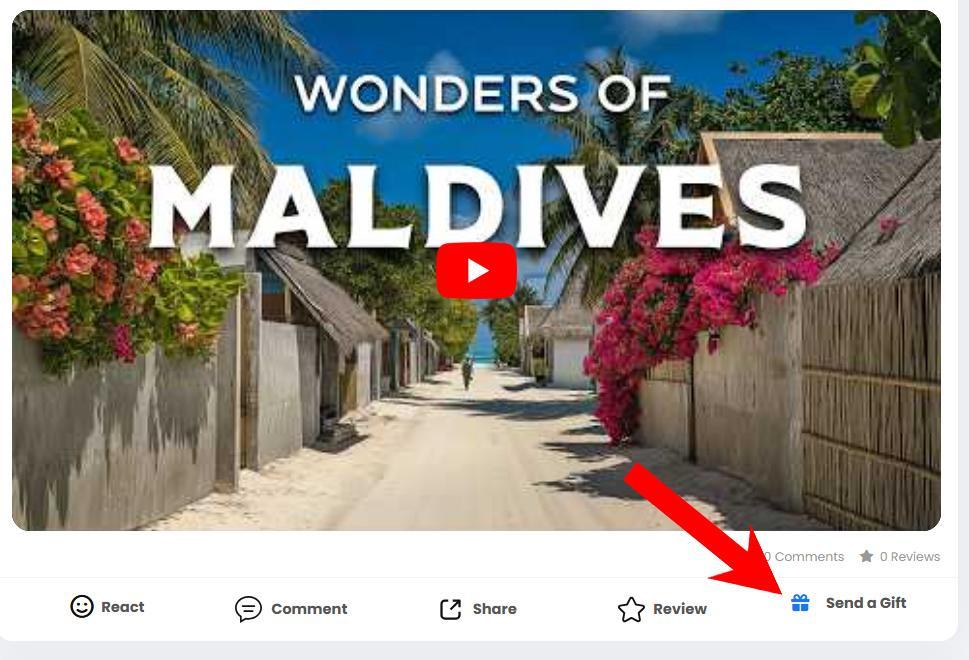
4. YouTube Videos
Share your YouTube video links directly with the Kizmio community and enable gifting so fans can tip your channel right from the post. Viewers don't even have to log in to send gifts—if your video goes viral globally, you have an even higher chance to earn big from an international audience.
5. Friend Finder & User Profiles
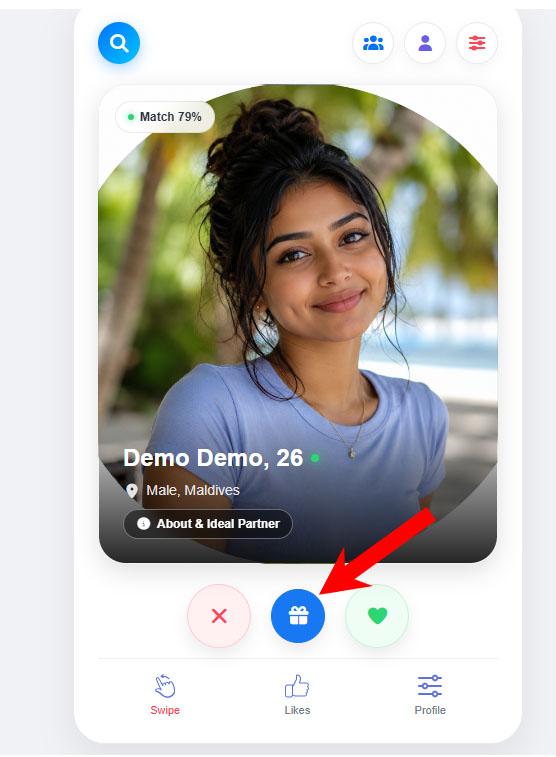
Gain community visibility while earning. Verified accounts featured on the Friend Finder include a gift button, while your primary User Profile offers a quick way for fans to tip you anytime.
Membership Plans & Limits
Free accounts are a great way to explore the platform and post daily content. To unlock direct payments and enable the gift button across your posts, you can upgrade to a 7-day trial or step up to a Pro membership.
| Feature / Limit | Free Plan | 7-Day Free Trial | Pro Plan |
| Social Media Posts (Articles, Photos, Links) | 5 posts / day | 5 posts / day | 10 posts / hour |
| Gig Marketplace Listings | 1 Active Gig | 1 Active Gig | 5 Active Gigs |
| Kizmio Wish List Items | 1 Wish Item | 1 Wish Item | 5 Active Wish Items |
| Direct Payments & Gifting Button | Disabled | Enabled (7 Days Free) | Enabled |
| Profile & Friend Finder Gifting | Disabled | Enabled (7 Days Free) | Enabled |
Getting Started: Quick Guides
Ready to start earning from your content? Upgrade to a 7-day free trial, enable gifting, and test the platform for free using these step-by-step resources:
-
How to Add Payment Information: A guide to setting up your bank details, PayPal email, or linking PayPal to M-Faisaa.
-
How to Enable the Gift Button: Learn how to turn on gifting for your profile, articles, photo albums, and posts.
- How to Enable Friend Finder: Simple steps to set up and verify your profile on Friend Finder to boost account visibility and collect gifts.
- News
- Technology
- Health
- Science
- Travel
- Food & Recipes
- Lifestyle
- Entertainment
- Gaming
- Business
- Εκπαίδευση
- Finance
- Automotive
- Pets & Animals
- Sports
- Fashion
- Beauty
- Κεντρική Σελίδα
- Relationships
- Kids
- Ιστορίες
- Nature
- Religion
- Culture
- Photography
- Art & Design
- Real Estate
- Shopping
- Parenting
- Jobs & Careers
- Legal
- Environment
- How-To
- Guides
- Opinions
- Viral
- Maldives
- Folklore
- Romance
- Horror
- Humor
- Inspirational
- Προεπισκόπηση
- Quizzes
- Lists
- Miscellaneous
- Viral

 English
 Arabic
 French
 Spanish
 Portuguese
 Deutsch
 Turkish
 Dutch
Dutch
 Italiano
 Russian
 Romaian
 Portuguese (Brazil)